
An identity v23 fivem scripts search usually means a server owner wants a clean first join registration, and this guide explains the two picks worth comparing first, Identity V23 and Identity V25, plus the rest of the set. You get a read on 12 scripts, from registration screens and character selectors to a spawn choice, each with a best-fit note.
Every entry uses only the title, category and description that FiveM Shops publishes for that product. The two identity packages are described in very similar terms, so the comparison focuses on how each one fits your server rather than on claims that the listings do not make.
Identity v23 fivem scripts compared with the rest of the set
Identity V23

The Identity V23 package is a first-join identity system that collects a player's name, date of birth, sex and details on spawn. Its description says it was rebuilt with performance and clarity in mind. The interface and data layer are meant to be readable, configurable and easy to extend.
Best for: ESX servers that want a clear registration step. A first pick for a new server.
Character Identity System V6
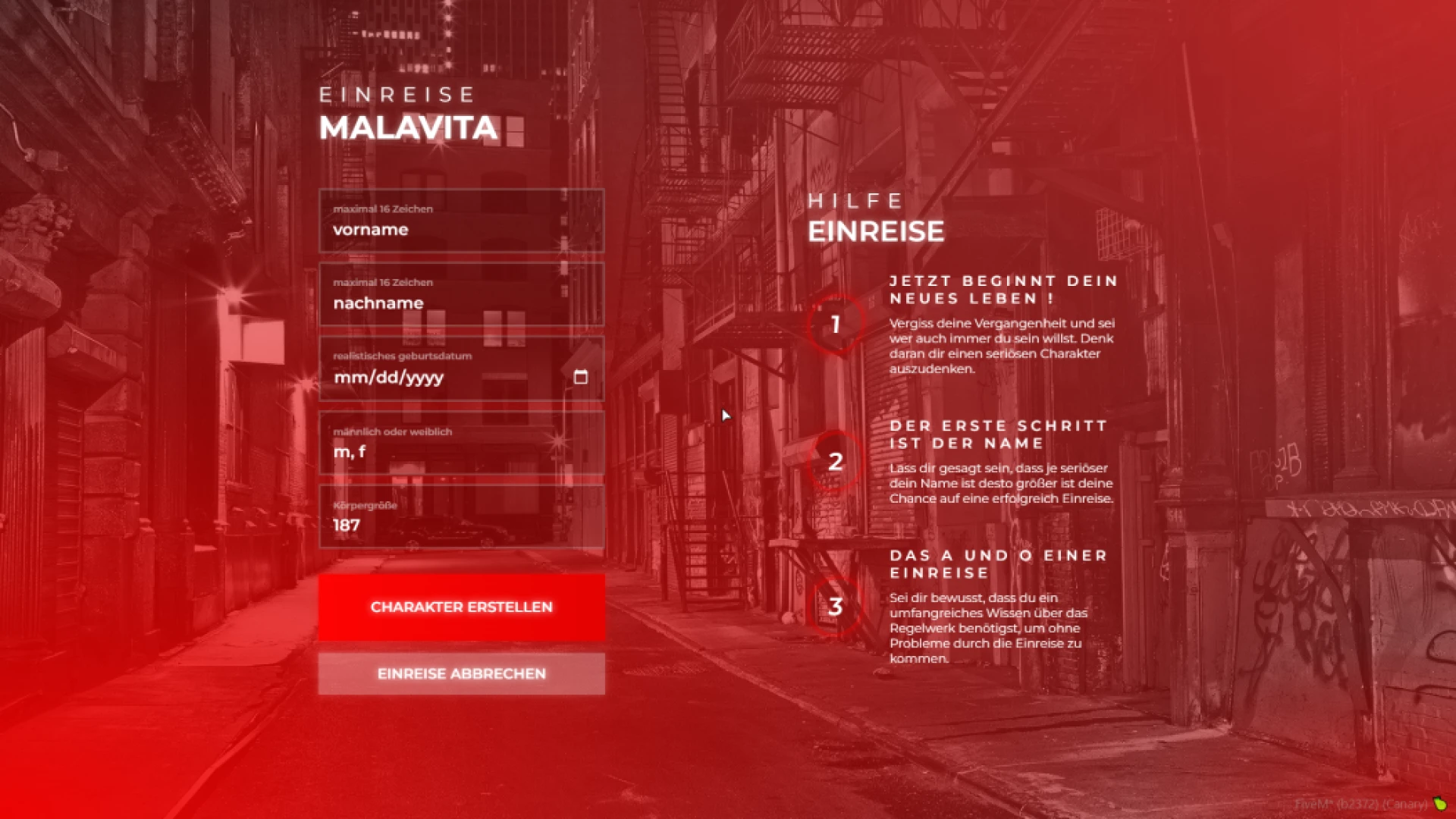
The Character Identity System V6 adds a registration step where new players enter their name, date of birth and gender before they spawn. The redesigned interface makes the flow feel smooth rather than rushed. Details are stored safely in your database for later use.
Best for: servers that want a modern first join form. A polished step that sets the tone.
Identity V8
The Identity V8 guides new players through creating a persona with a smooth onboarding form. It captures first name, last name, birthdate, gender and other details. The description says it sets the foundation the rest of your systems build upon.
Best for: onboarding that feeds other roleplay systems. A clear start for every character.
Multichar V4
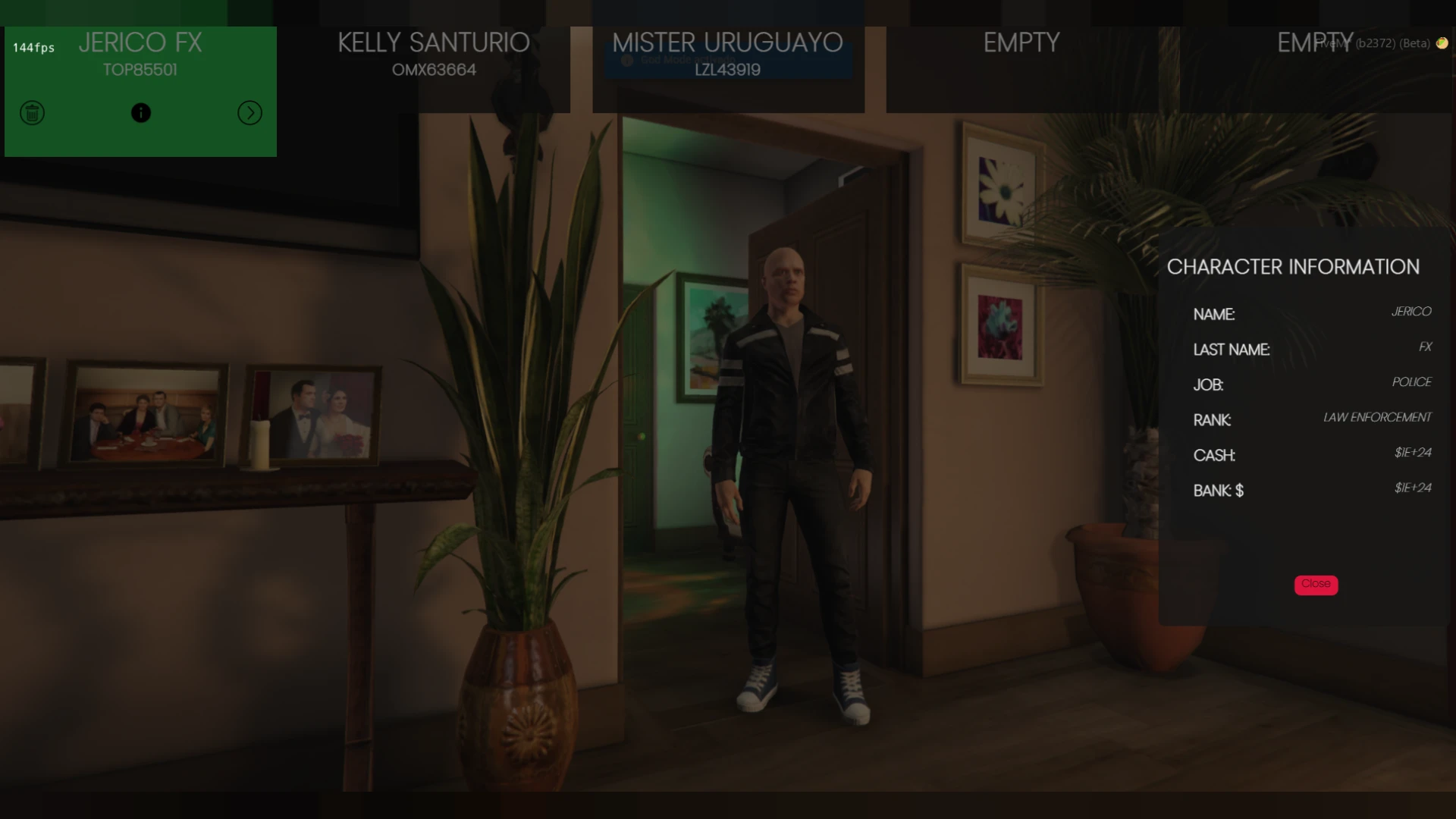
The Multichar V4 is a character selection screen for creating, choosing and deleting characters. It offers multiple slots, live previews and spawn control. Because the selection screen is often the first thing a player sees, it sets a professional tone.
Best for: multi-slot servers with live previews. A selector that makes returning players feel at home.
Identity Registration System V9
The Identity Registration System V9 is a first-join interface that captures name, date of birth and gender. It stores the details in your database for every future session. Background selection and smoother transitions make the screen feel polished.
Best for: servers that want background choices on the registration screen. A refined take on first-join creation.
Identity
The Identity script gives new players a character creation flow that sets a name, date of birth, gender and appearance on first join. It replaces chat commands with an onboarding screen and validates input on the server. The description says each persona is stored against the player's record.
Best for: servers that want validated input and appearance setup. A straightforward registration flow.
Bablo Animation Menu 3.1
The Bablo Animation Menu 3.1 is an emote menu for browsing emotes, dances and shared actions. Version 3.1 refines the layout, search and performance so animations are easy to find. It suits photo poses and quick reactions during roleplay.
Best for: emote-heavy roleplay and character posing. A useful companion to any identity flow.
ZSX | Multi-Character System V17
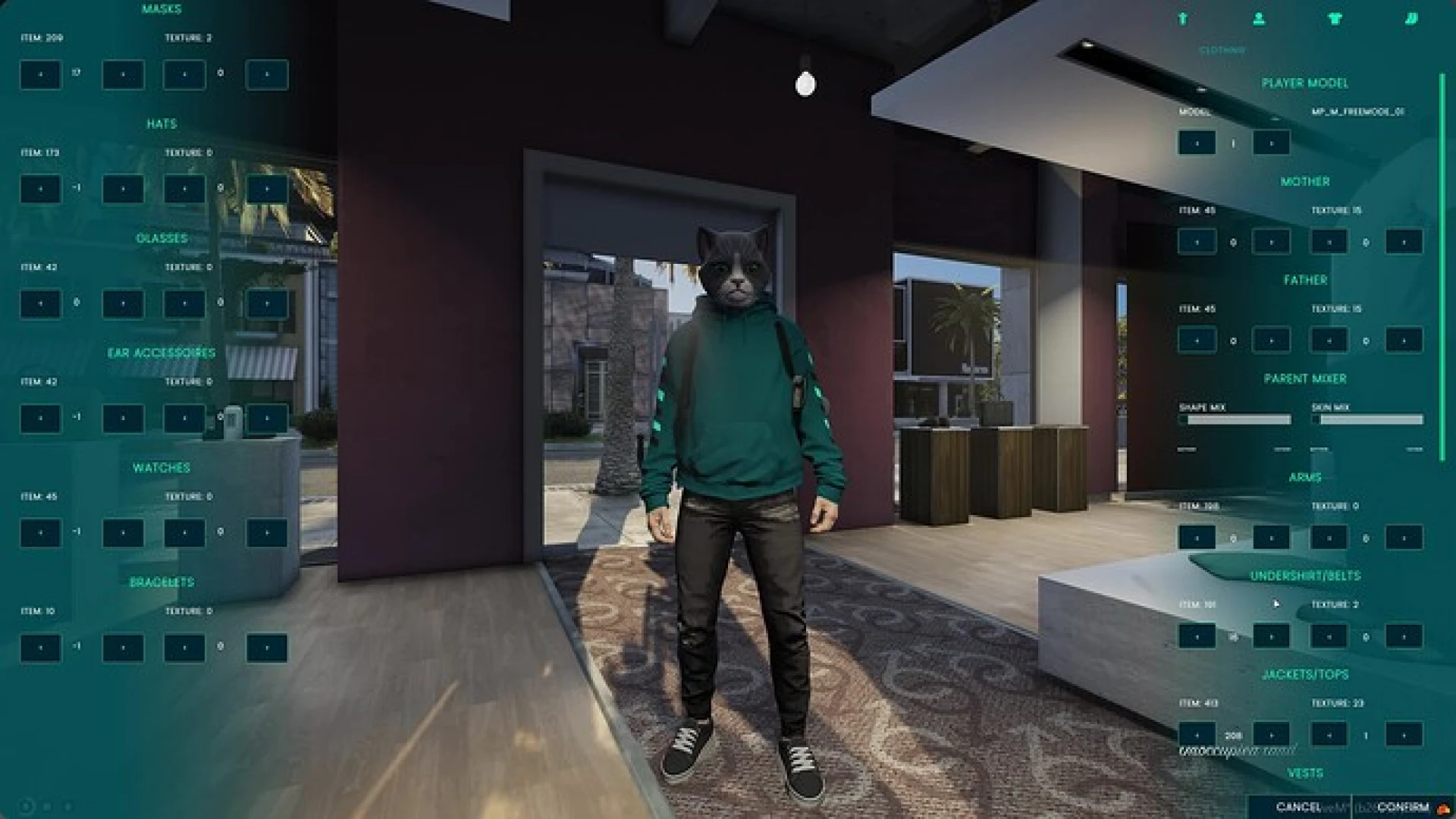
The ZSX | Multi-Character System V17 lets players create, pick and manage several characters from one account. Its camera work and interface are meant to feel premium from the moment players connect. Each character has its own slot with persistent data.
Best for: players who run several characters. A menu built around account-level management.
Identity V25
The Identity V25 package is a character identity registration flow for new players creating their in-game persona. Like Identity V23, its description says it was rebuilt with performance and clarity in mind. Its interface and data layer are designed to be readable, configurable and easy to extend.
Best for: servers comparing two identity flows side by side. A strong second option next to V23.
Multichar V12
The Multichar V12 is a character selection system with a modern screen for creating, choosing and deleting identities. Multiple slots and live previews help returning players jump back in while newcomers start a fresh story. The description treats the selection screen as the first impression of a server.
Best for: servers that want a polished selection screen. A clean entry point for returning players.
Lation Shops Creator
The Lation Shops Creator is a finished feature that supports ESX, QBCore and Qbox. Players buy shops, and the description says it runs light and stays readable for developers. It gives players something new to do while giving staff a system they can trust.
Best for: servers that want player-owned shops. A feature that works across three frameworks.
CD Spawn Select
The CD Spawn Select is a spawn selection feature that supports ESX, QBCore and Qbox. Its settings can be changed without touching the core code, and its server logic keeps the experience fair. It fits into an existing city without a rebuild.
Best for: servers that want a spawn choice on arrival. A flexible add-on for an established city.
The table below sums up the twelve scripts in this identity v23 fivem scripts guide, so you can compare by job. Each row names the category and the role the script plays best.
| Product | Category | Best for |
|---|---|---|
| Identity V23 | Character & Appearance Scripts | First-join registration on ESX |
| Character Identity System V6 | Character & Appearance Scripts | Modern registration form |
| Identity V8 | Character & Appearance Scripts | Onboarding for other systems |
| Multichar V4 | Character & Appearance Scripts | Multi-slot character selection |
| Identity Registration System V9 | Character & Appearance Scripts | Registration with backgrounds |
| Identity | Character & Appearance Scripts | Validated appearance setup |
| Bablo Animation Menu 3.1 | Character & Appearance Scripts | Emote and posing menu |
| ZSX | Multi-Character System V17 | Character & Appearance Scripts | Several characters per account |
| Identity V25 | Character & Appearance Scripts | Second identity option |
| Multichar V12 | Character & Appearance Scripts | Polished selection screen |
| Lation Shops Creator | Character & Appearance Scripts | Player-owned shops |
| CD Spawn Select | Character & Appearance Scripts | Spawn choice on arrival |
Identity v23 fivem scripts questions answered
Does Identity V23 work with QBCore?
The Identity V23 description calls it an ESX identity script, so check its product page for QBCore support before installing. The CD Spawn Select and Lation Shops Creator both list ESX, QBCore and Qbox.
Which identity v23 fivem scripts pick should I start with?
Both Identity V23 and Identity V25 describe a rebuilt, readable and configurable registration flow, so the choice comes down to your interface preference and framework. Preview both on a staging server before you commit to one.
Can I combine a registration script with a multichar system?
The set pairs registration screens such as Identity V8 with selection screens such as Multichar V12. Compare their product pages to confirm how each one stores character data, so the two fit together cleanly.
Browse the full Character & Appearance Scripts collection on FiveM Shops to see every identity, selector and spawn option in one place. Start with the identity v23 fivem scripts pick for first join, then add a selector once registration works.