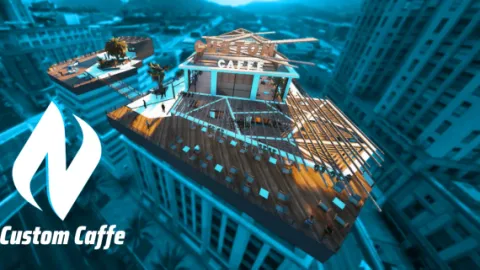
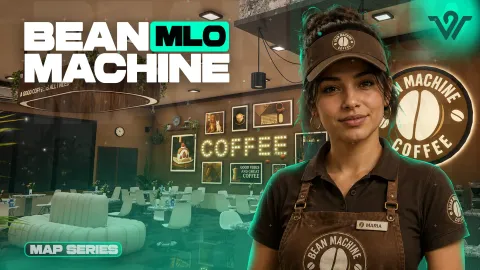
Pablito Modz explained in one line: a map builder whose catalogue on FiveM Shops is split between street level exterior builds and interiors you can walk into. If you have seen the name on a server list and want to know what that actually means, this is the short version.
The distinction matters because the two types solve different problems. One changes how a district looks and plays from the outside, the other gives you a room. Mixing them badly is how maps end up cluttered.
Pablito Modz explained: exteriors versus interiors
Exterior maps rebuild a stretch of the world: houses, walls, props and cover. Interiors add or replace an enclosed space that players enter. The listing category tells you which you are getting, and the rest of this post walks through examples of both.
One more thing worth having Pablito Modz explained properly: none of these builds carry gameplay systems. They change what the world looks like and where players can stand, and the jobs, doors and ownership rules still come from whatever resources you already run.
Exterior example: Pablito Modz Grove Street Rework
Pablito Modz Grove Street Rework is a textbook exterior. It changes a street that already exists rather than inventing a new location, so players do not have to learn a new address.
That is the main strength of exterior work. The map gets better without the mental map getting bigger.
Best for: improving a familiar area without adding new destinations.
District example: Pablito Modz East Los Angeles Project
Pablito Modz East Los Angeles Project sits in the city and public category and covers more ground than a single street. Builds at this scale change the character of a whole area.
They also ask more of your population. A district needs people in it, so install this when you have the players to fill it.
Best for: servers with enough population to keep a district busy.
Interior example: Pablito Modz LTD Gas Station
Pablito Modz LTD Gas Station is the opposite end of the scale: one enclosed space with a clear purpose. Small interiors are the easiest way to add a job or a target to a city.
They are also the easiest to place, because they hook onto a location the base map already has. No new address means no confusion, and no confusion means players use the room on the day you install it.
Best for: adding a defined purpose to a spot players already drive past.
Hybrid example: Pablito Modz Skatepark + Interior
Pablito Modz Skatepark + Interior pairs an outdoor space with an interior, which is a useful middle ground. You get a gathering point outside and somewhere to go when the weather in the story turns.
Hybrids suit servers that want a hangout rather than a job site. Not everything on a map needs a payslip attached.
Best for: casual hangouts that work for players between jobs.
Contrast example: Pablito Modz Brooklyn Hood
Pablito Modz Brooklyn Hood shows what a builder can do with tone. An east coast block on a west coast map is immediately readable as somewhere else, and players use that as a landmark.
Use one contrasting district, not four. The trick stops working when every street looks imported.
Best for: marking one district as visually distinct from the rest.
Venue example: Pablito Modz Tattoo Body Art
Pablito Modz Tattoo Body Art is a small business interior tied to a specific activity. Builds like this are the quickest wins because the purpose is written on the door.
They work best where you already have the matching system running. A studio without a tattoo menu is just a nice room.
Best for: cities with an existing character appearance loop.
Pablito Modz explained through install order
Owners who plan well tend to follow the same shape. One small interior to prove the process, one street build to fix the district that gets the most complaints, then a larger district once the first two are clearly being used.
That order keeps every purchase answerable. If someone asks why a build is on the server, there should be a sentence explaining what it fixed, and builds that cannot pass that test are the ones you remove during the next cleanup.
Which type fits your server
| Product | Category | Best for |
|---|---|---|
| Pablito Modz Square San Andreas | City & Public MLOs | Central open space |
| Pablito Modz Mosley Park | Exterior Maps | Neutral meeting ground |
| Pablito Modz Binco Replace | Restaurant & Business MLOs | Upgrading an existing shop |
How to choose your first build
Is an interior always the safer start
Usually yes, because the scope is small and the purpose is obvious. Exteriors reward servers that already know which district needs help.
How do I avoid overlapping builds
Check the area each product covers on its listing and keep a simple map of what you have installed. Conflicts almost always come from two builds claiming one block.
Where can I see the whole catalogue
The brand pages on FiveM Shops group every release by category, which is the fastest way to compare like with like. Reading two listings in the same category tells you more than reading ten across the whole catalogue.
Start with the Maps and MLOs collection on FiveM Shops and filter down to the category that matches the gap on your city. That is the practical version of having Pablito Modz explained: pick the category first, then the build.