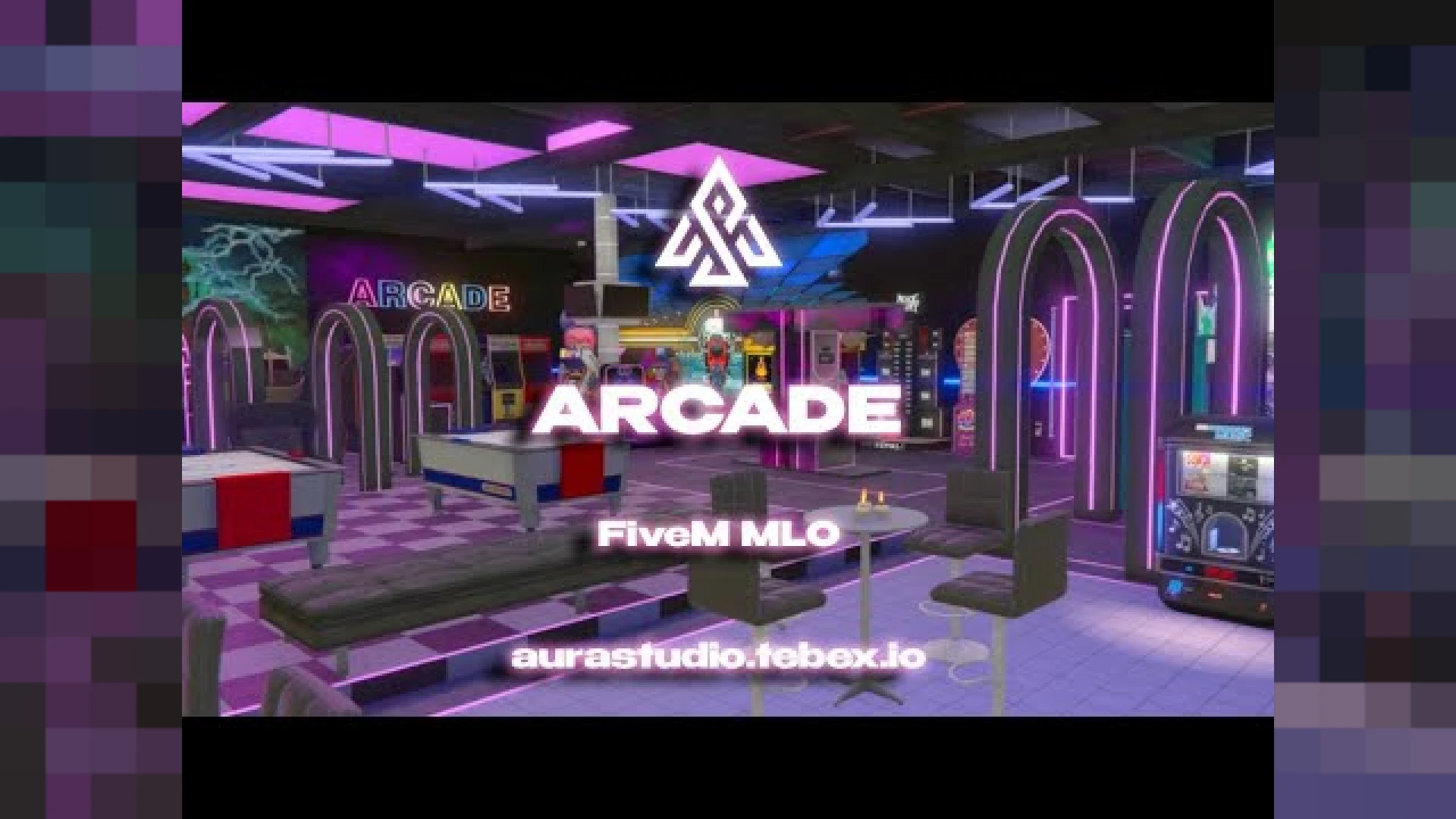
The Arcade Salon from Aura Studios is a polished, ready-to-run release built for FiveM roleplay servers that want a noticeable upgrade without a heavy configuration burden. It is a detailed, custom-built interior designed to slot into your map and give players a purpose-built space for roleplay scenes and events. Everything is packaged to install cleanly, with organized files and clear notes so you can get it running on your server quickly and without guesswork.
Themed around games, seating, and social space, it gives your community a relaxed venue that works for meetups, mini-events, and everyday roleplay. The build focuses on clean geometry, sensible collision, and logical layout so players can move through the space naturally without getting stuck. The goal is a dependable result that looks right the first time, so you spend less effort fighting setup issues and more time actually enjoying the improvement it brings.
Why the Arcade Salon stands out
- Distinct arcade and lounge zones for varied roleplay setups
- Atmospheric lighting that fits both daytime and night scenes
- Props and seating arranged for natural player movement
- Optimized meshes and collision for reliable performance
- Clear entry points that make the space easy to find and use
Using the Arcade Salon on your server
- Great backdrop for community meetups and casual events
- Works as a neutral hangout between jobs and missions
- Pairs well with activity or minigame scripts you already run
- Sensible size that streams in without heavy overhead
- Easy to reskin or decorate further to match your brand
This location is a strong fit for servers that want more variety in their map and a purpose-made backdrop for stories, jobs, or community gatherings. A well-made interior gives staff a reliable stage for events and gives players a memorable place to return to. It is put together with everyday use in mind, so the experience stays consistent whether you are testing quietly or running a busy session with many players online.
Installation follows the usual MLO process: add the resource, ensure it loads, and confirm the interior streams in correctly at its coordinates. The build is organized so you can drop it in and start using it with minimal setup. Documentation is included to walk you through the key options, which keeps the learning curve gentle even if you are still getting comfortable with FiveM resources.
Browse more matching releases in our maps and MLOs collection, or explore related picks in the interior MLOs collection to round out your setup; both are curated so you can find compatible additions that fit the same style, framework, and overall quality.