
If you are setting up a server, these fear x kos fivem scripts give your staff the core tools to run it from day one. This guide walks through twelve admin and utility resources, starting with the Kos admin panel that anchors the list. Each entry explains what the script does, who it suits and why it matters once players start arriving.
The details for these fear x kos fivem scripts come only from the product titles, categories and descriptions on FiveM Shops, so no entry claims more than its listing says. Install moderation and access tools first, then add the decorative and quality-of-life scripts once staff are comfortable. Keep a test server running so each tool is checked before players see it.
Fear X Kos FiveM Scripts: The Starter Lineup
Fear X Kos Panel
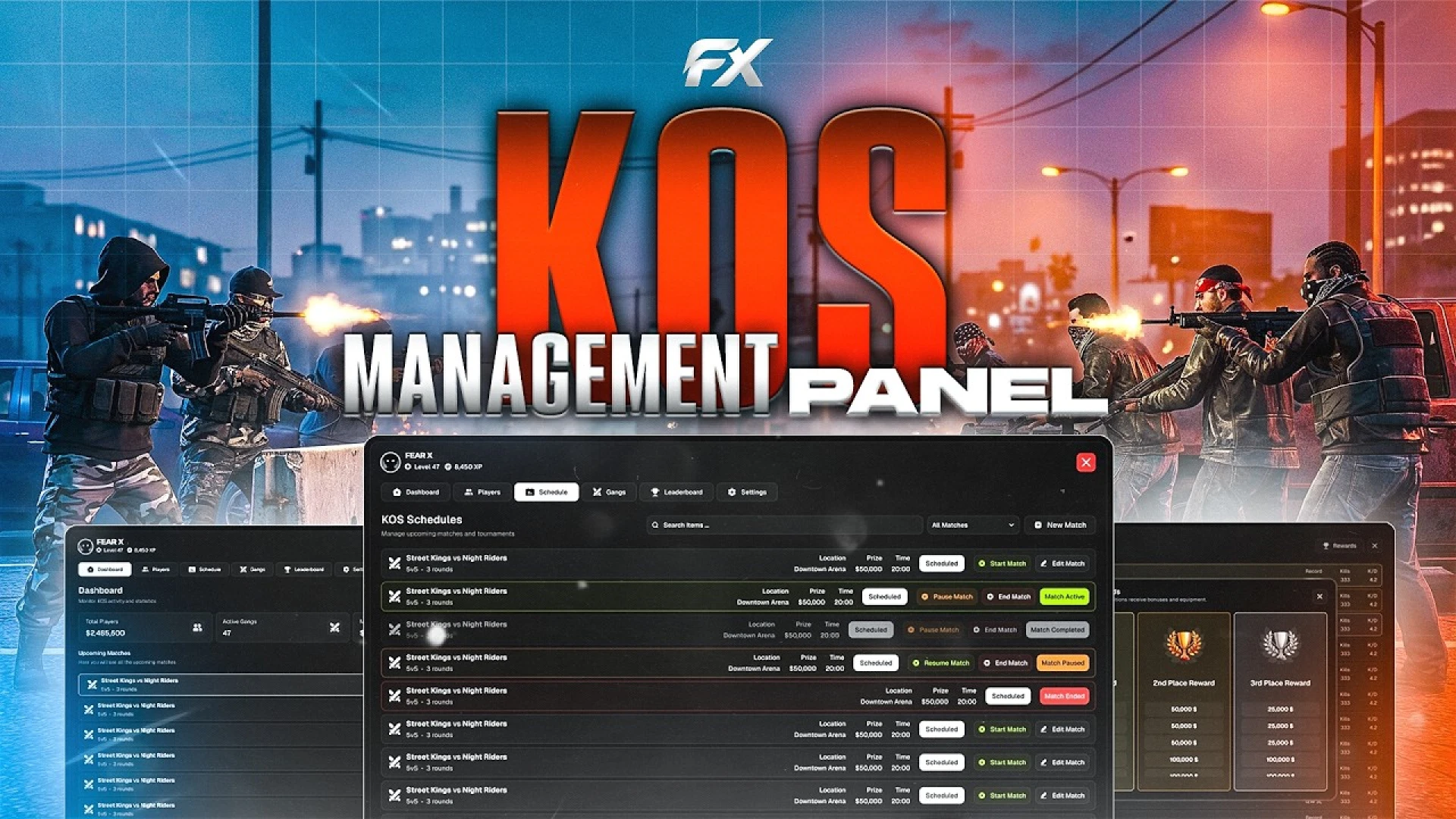
The Fear X Kos Panel replaces long console commands with one clean interface. Moderators reach the tools they use most within a click or two, such as teleport, freeze and spectate. That speed matters during peak hours, when a quick intervention can stop trouble before it spreads across the city.
Best for: any new server that needs fast moderation from the first day. It suits staff teams who want a visual panel instead of memorized commands.
F5 | Complex Safezones Script
The F5 | Complex Safezones Script creates protected areas that feel more finished than a simple god-mode circle. According to its listing, it is open source and needs no SQL, so you clone it, ensure it and define zones within minutes. It suits servers that want safe spaces for newcomers, events or hubs.
Best for: hubs, events and newcomer areas that need a safe space. It suits owners who want a quick setup without a database.
NEX Item Whitelist
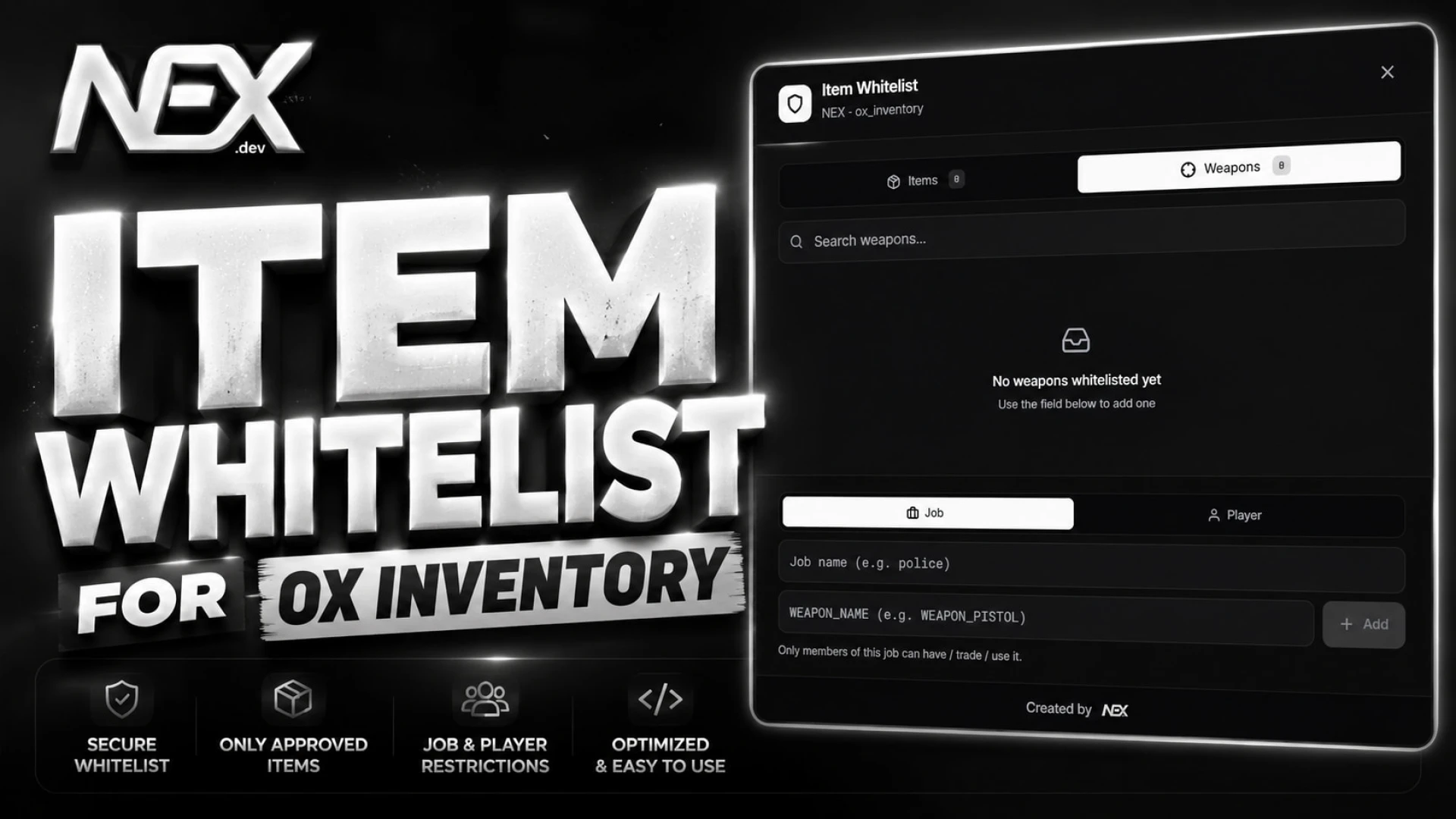
The NEX Item Whitelist lets admins lock specific ox_inventory items to chosen players or jobs. Instead of trusting that restricted gear stays put, the server enforces the allowlist automatically. Rules are managed in game, so you can add or remove entries without editing files or restarting the resource.
Best for: servers where weapons or restricted gear need strict access. It suits owners who run ox_inventory and want rules that change on the fly.
LondonStudios Customizable Vinewood Sign
The LondonStudios Customizable Vinewood Sign lets you change the text on the iconic hillside sign from inside the game. You can show your server name, announce an event, celebrate a holiday or welcome a returning player. It turns a landmark everyone sees into a billboard for your community.
Best for: servers that want a branded landmark and live event announcements. It suits teams that run holidays and community events.
Spoody Item Creator
The Spoody Item Creator lets admins add and edit ox_inventory items from a clean panel. Each new item is written as a proper entry and synced to connected players without a restart. You open the admin-only panel with one command, fill in the fields and the item goes live in seconds.
Best for: owners who add items often and want to skip hand-editing the item file. It suits admin teams who manage the economy live.
Map Zones

The Map Zones draws colored polygon territories onto the minimap and the full pause map. Shapes are rendered at runtime from world coordinates, so you never edit an image file. Gang turf, business districts, safe zones and event areas become clear overlays that players can read at a glance.
Best for: servers that need visible territory, such as gang turf or event boundaries. It suits admins who change zones often.
nx (nx_write) | Real 3D Notes & Post-its
The nx (nx_write) | Real 3D Notes & Post-its lets players write notes and post-its onto props in the world. Messages render as animated cursive, drawn stroke by stroke for everyone nearby. Notes persist and stay synced, so a scribbled address or a signed contract reads the same for every player.
Best for: roleplay that relies on written evidence, warnings or contracts. It suits servers that want paper props with real presence.
LondonStudios | Smart Bollards

The LondonStudios | Smart Bollards adds a controllable barrier system that restricts vehicle access to key buildings, roads and compounds. The rising and lowering posts give police stations, government sites and private estates real physical security. The resource is standalone, and the listing mentions ready-made bridges for popular frameworks.
Best for: police, government and private estate roleplay that needs gated access. It suits owners who want vehicle control without tying the setup to one framework.
Admin Coords Toolkit
The Admin Coords Toolkit turns coordinate hunting into a single keypress. Stand where you want, press the key, and the coordinates, heading and zone are copied in the format your scripts expect. It saves developers and mappers hours of noting, formatting and pasting values.
Best for: developers and mappers who place locations and config values often. It suits teams that edit config files every day.
404 | OX Restricted Items
The 404 | OX Restricted Items locks specific inventory items behind jobs, grades and other requirements. It adds a permission layer on top of ox_inventory so only the right players can carry, use or move that gear. Without controls like this, role-specific items can drift across the economy and undermine balance.
Best for: cities with job-specific gear and a balance-sensitive economy. It suits servers already running ox_inventory.
Job CCTV Cams

The Job CCTV Cams gives trusted staff a surveillance tablet for sensitive locations. Players with the right job open a responsive tablet, cycle between installed cameras and watch entrances, vaults and public areas. Access is limited by job role, so only assigned characters can open the feed.
Best for: banks, police and security roleplay that needs monitoring. It suits servers that want surveillance without leaving a post.
Nevera | OX Debug
The Nevera | OX Debug is a developer utility that puts entity, player and raycast tools one keystroke away. It helps you inspect and change the world without hunting through console commands. It is built for the OX ecosystem that many modern servers already run.
Best for: developers testing new scripts on an OX-based server. It suits builders who need quick inspection tools.
| Product | Category | Best for |
|---|---|---|
| Fear X Kos Panel | Admin & Utility Scripts | Fast daily moderation |
| F5 | Complex Safezones Script | Admin & Utility Scripts | Hubs and newcomer areas |
| NEX Item Whitelist | Admin & Utility Scripts | Restricted gear access |
| LondonStudios Customizable Vinewood Sign | Admin & Utility Scripts | Live landmark messages |
| Spoody Item Creator | Admin & Utility Scripts | Adding items live |
| Map Zones | Admin & Utility Scripts | Visible territory overlays |
| nx (nx_write) | Real 3D Notes & Post-its | Admin & Utility Scripts | Written evidence and warnings |
| LondonStudios | Smart Bollards | Admin & Utility Scripts | Gated vehicle access |
| Admin Coords Toolkit | Admin & Utility Scripts | Developer coordinates |
| 404 | OX Restricted Items | Admin & Utility Scripts | Job-locked inventory items |
| Job CCTV Cams | Admin & Utility Scripts | Job-based surveillance |
| Nevera | OX Debug | Admin & Utility Scripts | Script testing |
Common Questions About Running Staff Tools
Which fear x kos fivem scripts should a new server install first?
Start with the admin panel and the item whitelist, since moderation and access control matter from the first player. Add the zone, sign and notes scripts once staff have settled into their routine.
Do these scripts need a database?
The safezones listing says it needs no SQL, but the other descriptions do not state database requirements. Confirm the dependency list on each product page before you ensure the resource.
Do these tools work with ox_inventory?
Several listings name ox_inventory directly, including the item whitelist, the item creator and the restricted items resource. Confirm the version you run on the product page before installing.
Explore the full Admin & Utility Scripts collection on FiveM Shops for more staff tools. Install the basics first, test each one with a small group of admins, and only then open the server to the public. Use this list as the base of your fear x kos fivem scripts setup, and a calm, well-tested toolkit will be a strong start for any new server.