The Soloty LA pack series is one of the stranger shopping experiences on any map store: thirty numbered releases sharing a naming pattern, with no obvious signal about which one your city actually needs. This guide explains how to approach the run, where to start and how to add entries without wrecking your load times.
Everything in the series is listed under City and Public MLOs at FiveM Shops, and each number is a separate product page with its own images. That is the important part: the numbering is a catalogue label, not a difficulty level or a recommended order.
How to read the Soloty LA pack numbering
Treat a number as an index and nothing more. Buy by what your map is missing rather than by sequence, install one release at a time, and keep a written list of which areas you have already filled so a later purchase does not land on ground an earlier one occupies. That single habit prevents most of the map conflicts server owners report after a busy shopping night.
Soloty Los Angeles Pack 1
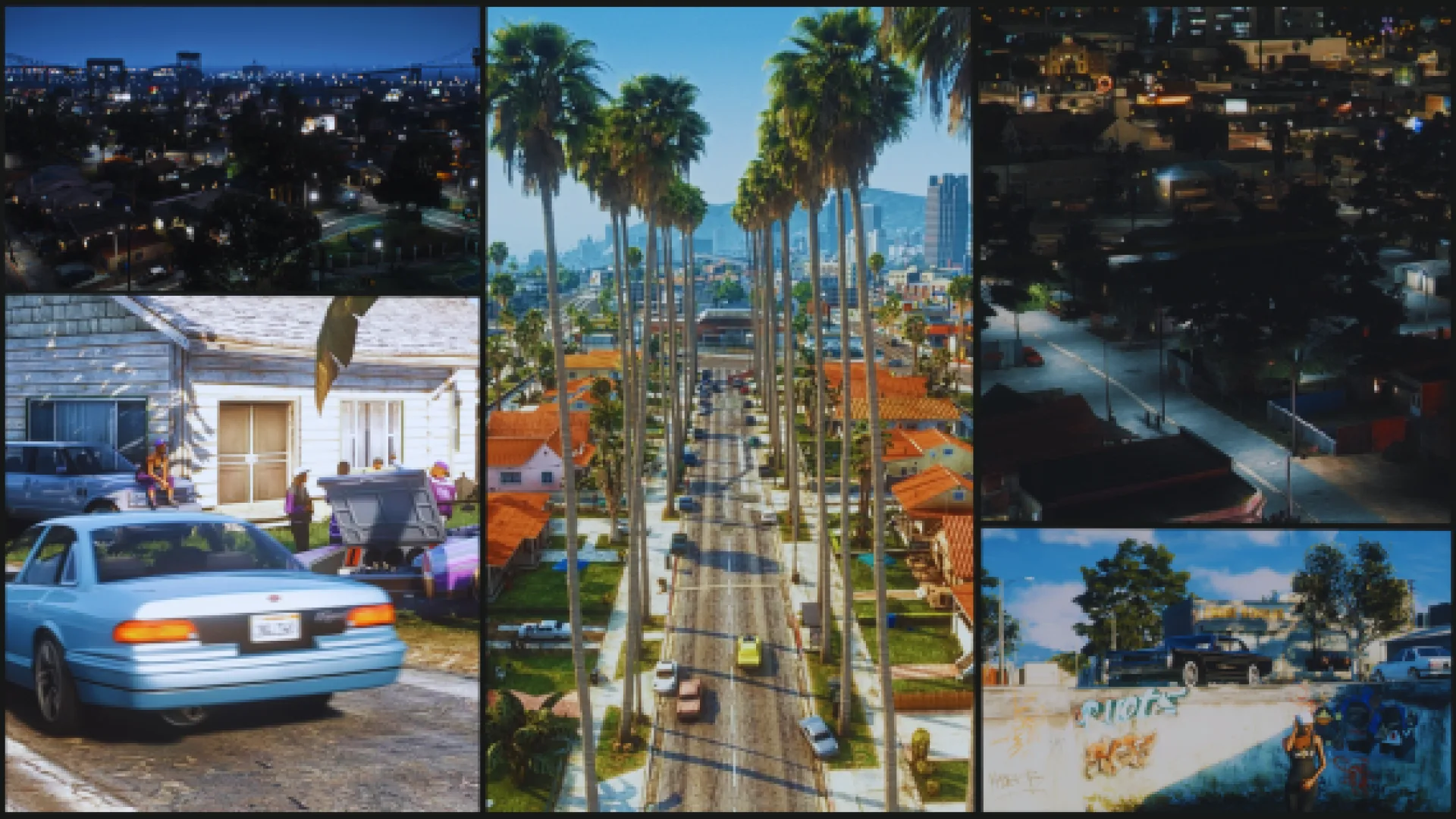
Soloty Los Angeles Pack 1 is the natural entry point, mostly because it is the one people find first and the one your staff can talk about without quoting a number nobody remembers. Starting at the front of the run also gives you a baseline for how the rest of the series looks and performs on your hardware.
Run it for a week before buying anything else in the series. You learn more about whether this style fits your city from one live weekend than from a dozen product pages.
Best for: a first look at the series on a server that has never streamed this style.
Soloty Los Angeles Pack 2
Soloty Los Angeles Pack 2 is the obvious follow up once the first one has proved itself. Buying two adjacent entries is the low risk way to expand, because you are extending a look your players already recognise instead of introducing a second visual language to the same district.
Best for: extending a district that is already working.
Soloty Los Angeles Pack 7
Soloty Los Angeles Pack 7 sits early in the middle of the run. By this point most owners stop buying by number and start buying by gap: an empty corner of the map, a faction with nowhere to meet, a patrol route that never changes. Open the listing, compare its images against your problem, and only then decide.
Best for: filling a specific hole rather than collecting the set.
Soloty Los Angeles Pack 12
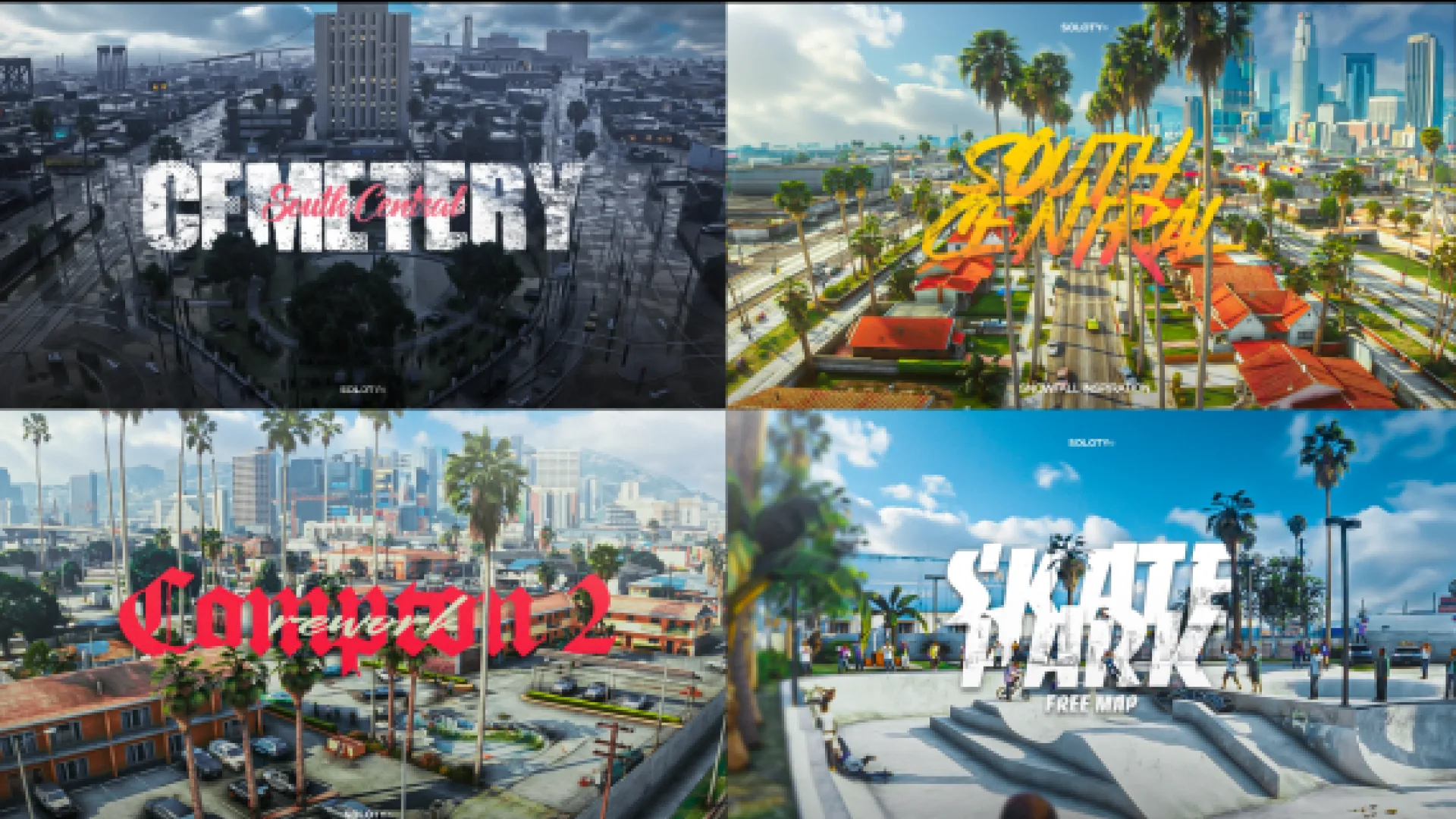
Soloty Los Angeles Pack 12 is a good example of why the middle of the series rewards a slow reader. The entries are close enough in style that a quick glance blurs them together, and far enough apart in content that picking the wrong one leaves your map with two similar areas and no new scenes.
Best for: owners who compare product pages carefully before buying.
Soloty Los Angeles Pack 18
Soloty Los Angeles Pack 18 is the kind of later entry worth holding back for a second wave of map work. Most cities cannot absorb more than a few new areas per season anyway, because players need time to attach stories to a place before it stops being scenery.
Best for: a planned second wave of map expansion.
Soloty Los Angeles Pack 24
Soloty Los Angeles Pack 24 lands deep in the run, where the series is mostly of interest to servers that have already committed to this look. If half your city is built from these releases, staying inside the family keeps textures and street furniture consistent across the whole area.
Best for: cities already built largely from this creator.
Soloty Los Angeles Pack 30
Soloty Los Angeles Pack 30 closes out the numbered run. Late entries are handy when you want something your neighbours have not installed yet, since the first few numbers turn up on a lot of servers and the last ones rather less often.
Best for: servers that want a district players have not seen elsewhere.
Install checklist for any Soloty LA pack
- Add one resource at a time and restart between each.
- Note the area each release occupies before buying the next.
- Check memory use with a normal player count, not an empty server.
- Fly the area after install and look for gaps against the base map.
- Tell your staff where the new area is before players find it.
Common questions
Do the numbers mean quality
No. They separate listings. A higher number is a later catalogue entry, not a better map, so judge each product page on its own images.
How many can one server run
That depends on your host and your player count rather than on the maps. Add gradually and measure, because the only honest answer comes from your own resource monitor.
Where do these sit in the catalogue
All of them are in City and Public MLOs, alongside the districts and estates from the same creator.
Buy slowly, install in order of need and keep notes. The full series and everything around it is in the Maps and MLOs section at FiveM Shops, which is also the fastest place to compare one Soloty LA pack against another before you commit.