Radial 3D vehicle interaction menu for doors, windows, seats and more — ESX and QBCore
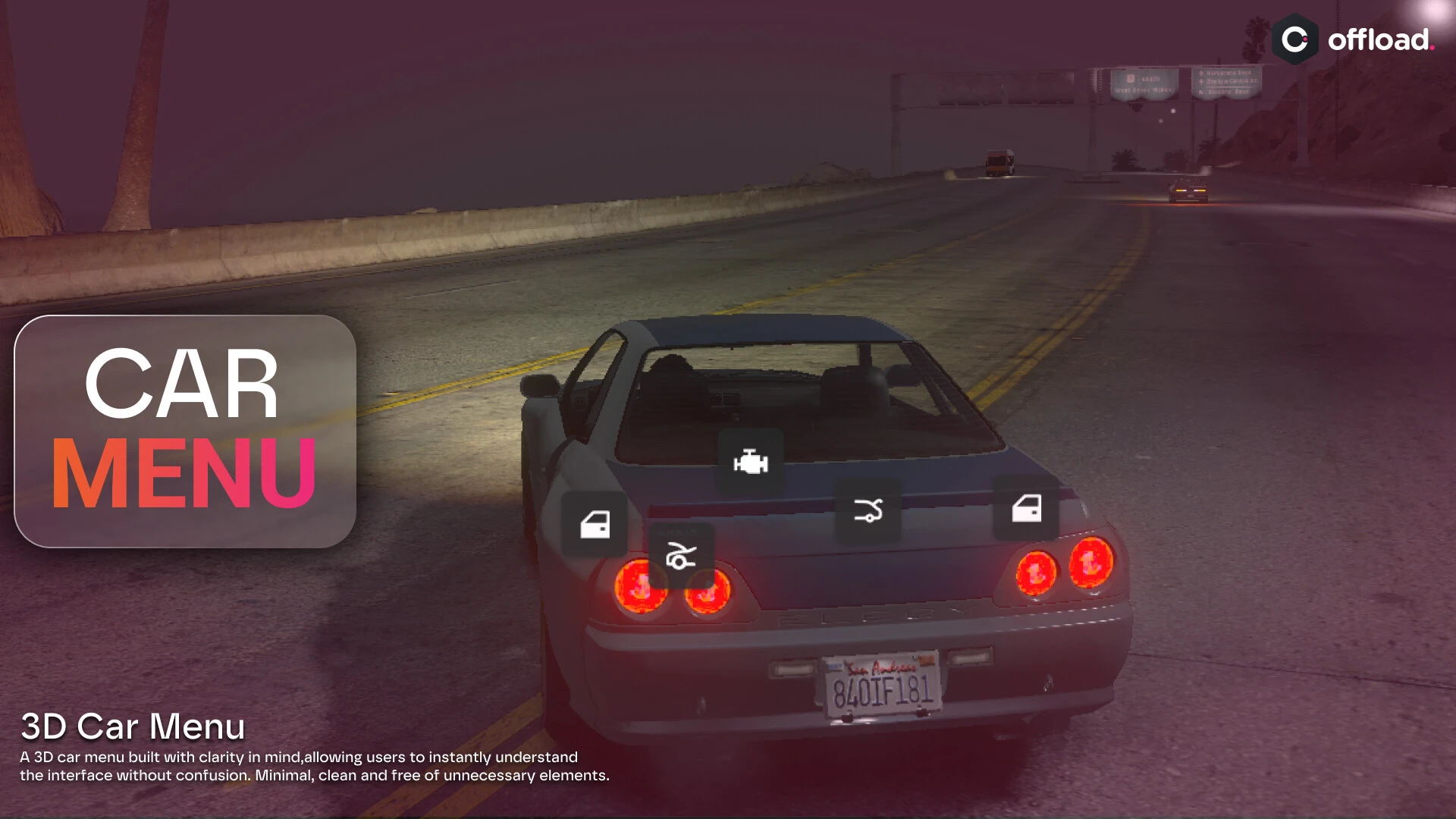
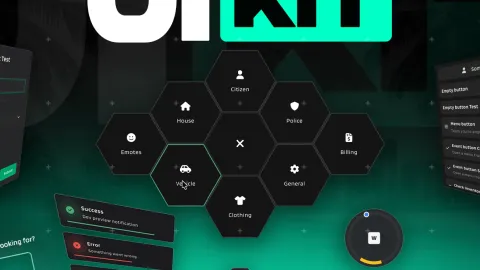
Controlling a vehicle's doors, windows, seats and trunk usually means a tangle of commands or a plain list menu. 3D Car Menu replaces all of that with a sleek radial interface right on the vehicle: look at a door and open it, roll down a window, pick a seat, pop the trunk — every vehicle interaction in one clean, modern menu that feels like part of the car itself.
What the car menu offers
- A radial 3D menu for all vehicle interactions in one place.
- Open and close individual doors, the hood and the trunk.
- Roll windows up and down.
- Choose which seat to enter directly.
- Additional controls like engine, locks and lights.
Why it improves the experience
- Vehicle control becomes intuitive instead of command-heavy.
- One consistent menu replaces a mess of keybinds and lists.
- Picking a specific seat makes group travel smooth.
- Door and window control adds immersion to scenes.
- A modern 3D UI looks premium next to plain menus.
Clean and configurable
- Built for ESX and QBCore with a straightforward install.
- Configurable options, styling and keys in open files.
- Works alongside your existing vehicle systems.
- Lightweight NUI that opens instantly.
Players interact with their vehicles constantly, and consolidating every door, window and seat control into one clean radial menu is the kind of quality-of-life upgrade they feel every single time they get in a car. It replaces a scatter of keybinds with a single intuitive interface that makes the whole vehicle feel more responsive and modern.
Pair it with our Vehicle Gear Loadout and browse more HUD & UI scripts.
Consolidating every door, window and seat control into one clean radial interface is the kind of quality-of-life upgrade players feel every single time they get into a car, replacing a scatter of keybinds with one intuitive menu.
The whole vehicle simply feels more responsive and modern once every control lives in one place.