RTX DJ is built for server owners who want a polished feature that works out of the box, made by RTX Development. It supports ESX, QBCore and Qbox.
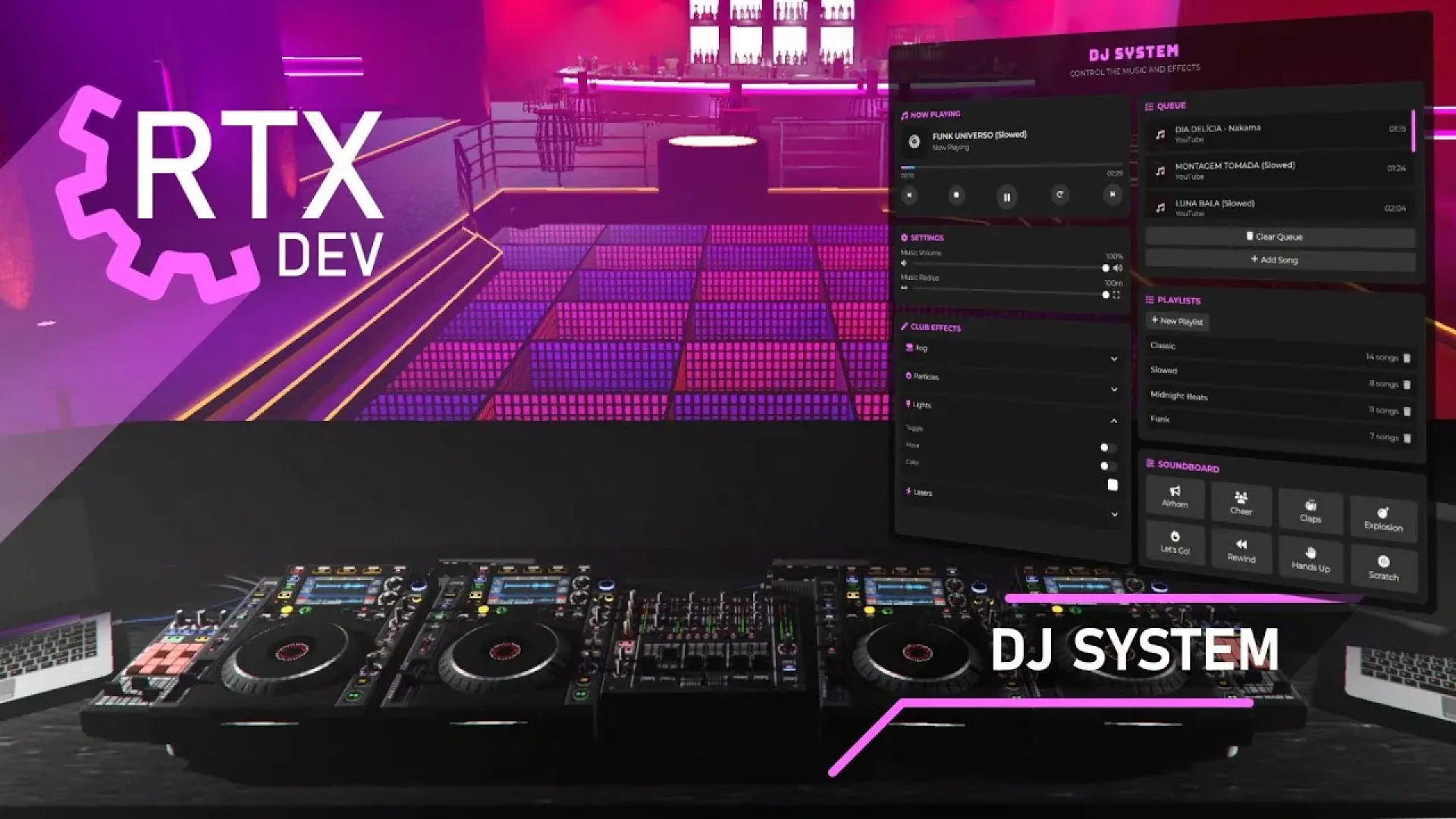
RTX DJ turns any FiveM venue into a working club: a DJ booth with turntables, a crossfader, scratching animations and a shared audio feed everyone on the floor hears in sync. Standalone, slots into ESX, QBCore, QBOX or vRP, and configurable through a single Lua file.
What RTX DJ brings to your server
RTX DJ is built around what server owners actually need: a feature players understand quickly, settings you can change without touching the core code, and server-side logic that keeps the experience fair. It slots into an existing city without forcing you to rebuild other systems.
Key features
- DJ booth script with turntable + crossfader controls
- Multiplayer synced audio across the venue
- Custom animations for scratching and mixing
- Playlist upload + queue management
- Standalone — works on ESX, QBCore, QBOX and vRP
- Config.lua for permissions, booth locations and audio distance
- Clean modern UI consistent with other RTX scripts
How servers use it
RTX DJ gives players a new loop to engage with and gives staff fewer reasons to step in manually. It fits serious roleplay servers as well as more casual communities. RTX DJ is written to stay light. Loops sleep when nothing is happening, heavy work stays on the server where it belongs, and the resource keeps a low footprint on the resource monitor.
Installation and compatibility
Setup takes a few minutes: place the resource in your resources folder, review the config file, ensure it in server.cfg and restart. Check the included readme for any dependencies your framework needs. Browse more Admin & Utility Scripts, or see the full FiveM scripts range to complete your setup.
Every order of RTX DJ is a one-time purchase with instant delivery after payment, so you can install it the same day. FiveM Shops keeps premium FiveM content affordable for growing servers.
Quick specs
- Type: Server resource
- Category: Admin & Utility Scripts
- Framework: ESX, QBCore and Qbox (standalone-friendly)
- Install: Drag and drop into resources, ensure in server.cfg
- Delivery: Instant download after payment
Frequently asked questions
Is RTX DJ compatible with QBCore, ESX and Qbox?
RTX DJ is made for the common FiveM frameworks. Check the included readme for the exact dependencies your setup needs before starting it.
Is it hard to configure?
No. The main options sit in a readable config file, so you can change prices, timers, locations and text without editing the core code.
Will this admin and utility script affect performance?
It is written to stay light: loops sleep when nothing is happening and heavy logic runs on the server, keeping resmon low.