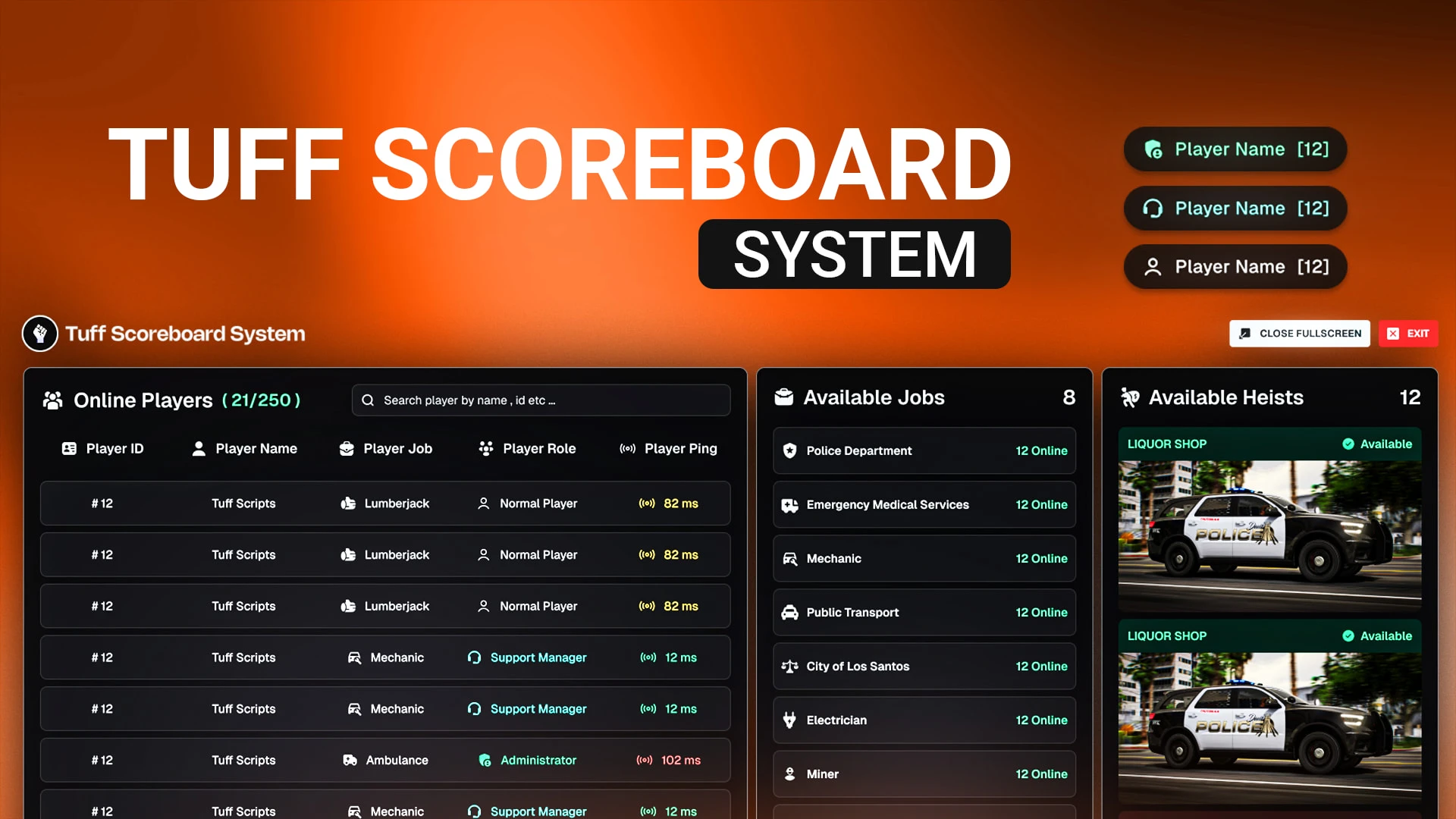
Clean player scoreboard showing online players, jobs and server info on one key — ESX and QBCore
Players constantly want to know who is online and how full the server is, and a scoreboard answers that in one keypress. This clean overlay shows the online player list with names, IDs and jobs alongside key server info — player count, uptime and more — so your community always has a quick, tidy view of who is around. It is a small utility that gets used constantly.
What the scoreboard shows
- The full list of online players with names and IDs.
- Job or role information per player where enabled.
- Live player count and server capacity.
- Server info like uptime and announcements.
- A clean layout opened on a single key.
Why a scoreboard is useful
- Players instantly see who is online and how busy it is.
- Staff find a player's ID quickly for moderation.
- Job counts help players spot which services are staffed.
- A tidy overlay looks far better than the default list.
- It is a constant, everyday convenience.
Clean and light
- Built for ESX and QBCore with a straightforward install.
- Configurable info shown, styling and keys in open files.
- Ties into your job and player systems.
- Lightweight NUI that opens instantly.
Small everyday utilities are the ones players end up relying on most, and a clean scoreboard is a perfect example because everyone wants to check who is online and how busy the server is. Giving them a tidy, informative overlay on a single key is exactly the kind of quiet convenience that quietly raises the polish of your whole server.
Pair it with our Vigor HUD and browse more HUD & UI scripts.
Small everyday utilities are the ones players end up relying on most, and a clean scoreboard is a perfect example because everyone wants to check who is online and how busy the server is at a glance.