Looking for a new place to set your next roleplay story? Spooni Fort Mercer MLO adds a polished, ready-to-use location to your FiveM map, built by Spooni.
(5 MLO´s and more as 30 Rooms) The new MLO System is included. Custom shadows add to the interiors immersion. All Doors have a doorhash and can be used in every housing script. All interior design files are open and can be edited. The Fort has been completely open (original RDR style) + Escape Tunnel and Moonshine Cellar.
What Spooni Fort Mercer MLO brings to your server
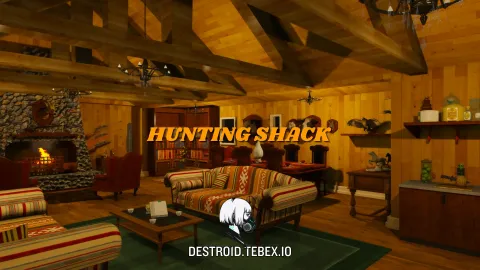
Players notice the details first, and Spooni Fort Mercer MLO delivers them: believable materials, sensible lighting and a layout that makes sense the moment you walk in. Staff get a location they can build storylines around rather than improvising in stock buildings.
Key features
- 5 MLOs with more than 30 rooms
- New MLO system with custom shadows
- All doors have doorhash — works with any housing script
- All interior design files open and editable
- Fort opened in original RDR style + escape tunnel and moonshine cellar
- Fully furnished interior with roleplay-ready room layout
How servers use it
Spooni Fort Mercer MLO works as a permanent landmark or as the centrepiece of a storyline. Because it fits the scale of the world, players treat it as part of the city rather than an add-on. Performance was part of the build: textures are sized for streaming, LODs step down properly at range, and nothing in Spooni Fort Mercer MLO runs a script every frame. It behaves on a full server, which is the test that matters.
Installation and compatibility
Installation is standard for FiveM: place the folder in your resources directory, add it to your server.cfg with ensure, and restart. The location is framework-independent, so it works on ESX, QBCore, Qbox and standalone servers, and your existing job, door-lock and robbery scripts can point at it straight away. Browse more City & Public MLOs, or see the full Maps & MLOs range to complete your setup.
Every order of Spooni Fort Mercer MLO is a one-time purchase with instant delivery after payment, so you can install it the same day. FiveM Shops keeps premium FiveM content affordable for growing servers.
Quick specs
- Type: MLO / interior
- Category: City & Public MLOs
- Framework: Any framework - ESX, QBCore, Qbox or standalone
- Install: Drag and drop into resources, ensure in server.cfg
- Delivery: Instant download after payment
Frequently asked questions
Does Spooni Fort Mercer MLO work with QBCore and ESX?
Yes. Spooni Fort Mercer MLO is a framework-independent city and public MLO, so it runs on ESX, QBCore, Qbox and standalone servers. Your existing job, door-lock and target scripts can use it straight away.
How do I install this MLO?
Drop the folder into your resources directory, add ensure with the resource name to server.cfg and restart the server. The location streams automatically when players get close.
Will it hurt server performance?
No. The interior uses LODs and streaming-friendly textures, so it stays light even on busy servers with many custom maps.