
Cool OX Target FiveM Scripts are one of the quickest visual upgrades a roleplay server can make, because the interaction menu gets used hundreds of times a session. This FAQ style guide answers the questions server owners ask most about the target redesign and the HUD and interface scripts around it. Each answer stays within what the listing details say.
Think of this as a set of cool ox target fivem scripts questions that come up when a server upgrades its interface. The answers cover the target redesign, the HUD choices and a loading screen, and each one stays within the listings. Browse the full set at FiveM Shops once you know what your server needs.
Cool OX Target FiveM Scripts Compared, Product by Product
Cool OX Target
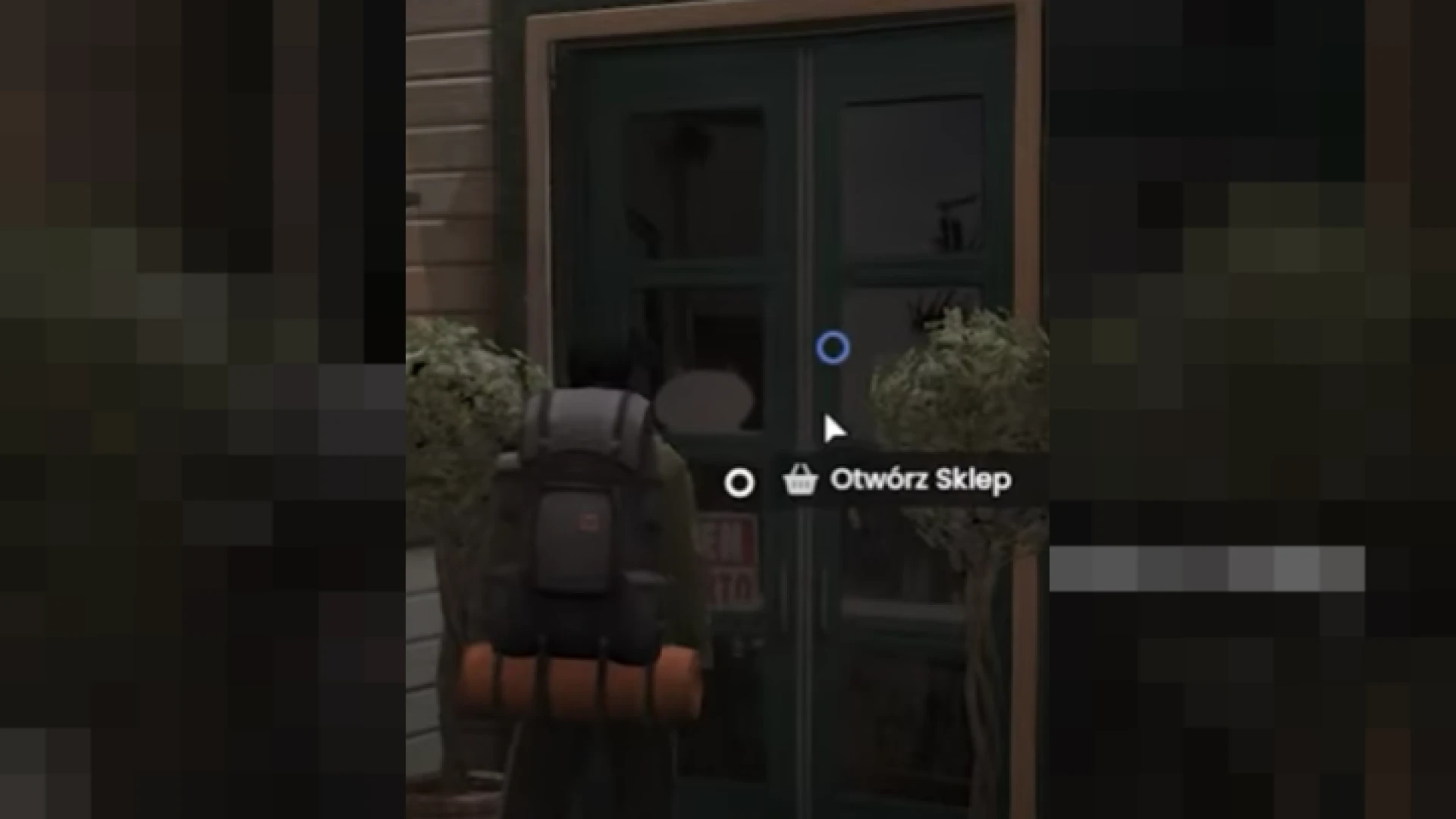
The Cool OX Target refreshes the everyday interaction system with a clean, modern eye and action interface. It replaces only the visual layer, so the trusted ox_target logic stays intact and every export keeps behaving as your resources expect. You get the fresh look without touching the behavior your server already depends on.
Best for: Servers that want a cleaner target menu without changing how interactions work.
0Tick | CX-HUD
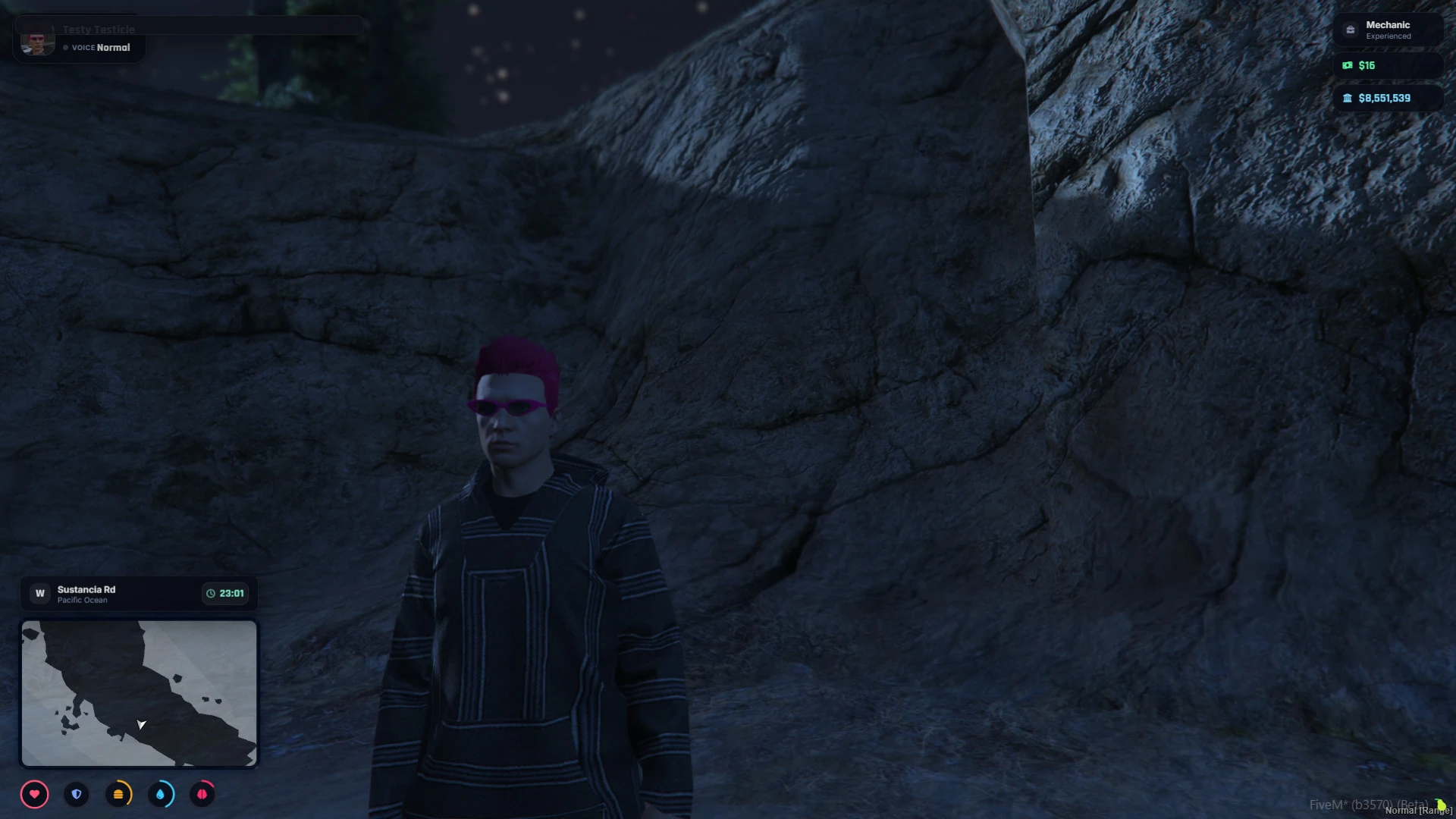
The 0Tick | CX-HUD is a modern, lightweight HUD for QBox and QBCore servers, with a customizable status and vehicle interface. A single /hud command lets players toggle individual elements, swap their avatar and switch speed units, and their choices are saved locally.
Best for: QBox and QBCore servers that want players to tune their own HUD.
Lafa2K | 3D GPS Route Renderer
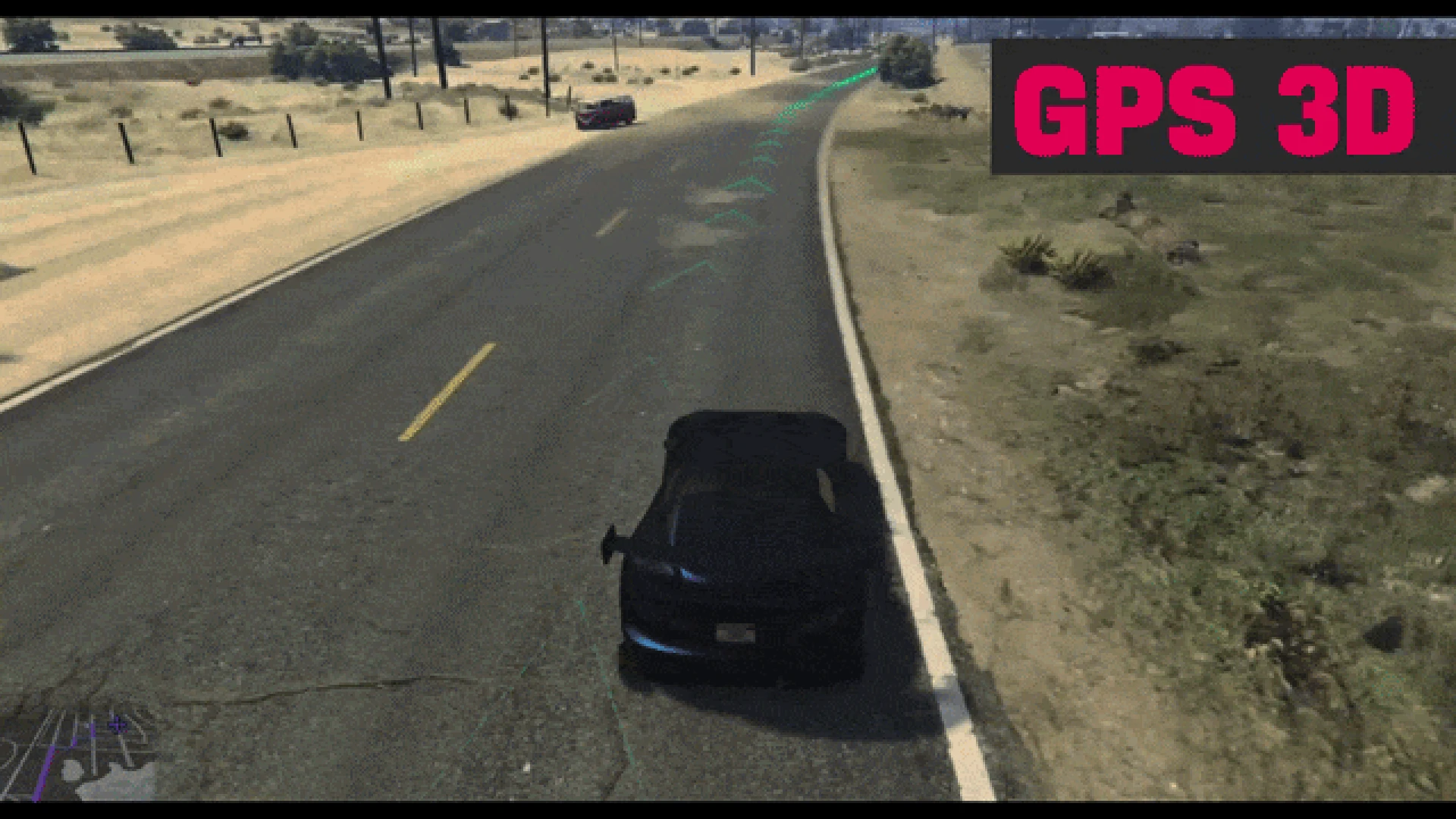
The Lafa2K | 3D GPS Route Renderer is a lightweight prototype. It reads the active GTA route and draws a subtle ribbon trail with directional chevrons above the road. It complements the minimap rather than replacing it, which gives drivers a line to follow with their eyes on the world.
Best for: Drivers who want a visual route line and servers willing to test a prototype.
Custom Loading Screen
The Custom Loading Screen replaces the default connect view with a themeable NUI panel. It welcomes new players, shares your rules and sets the tone for the community. Everything is driven by a simple configuration file, so the branding stays in one place.
Best for: Servers that want a branded first impression before players spawn.
Status Hud
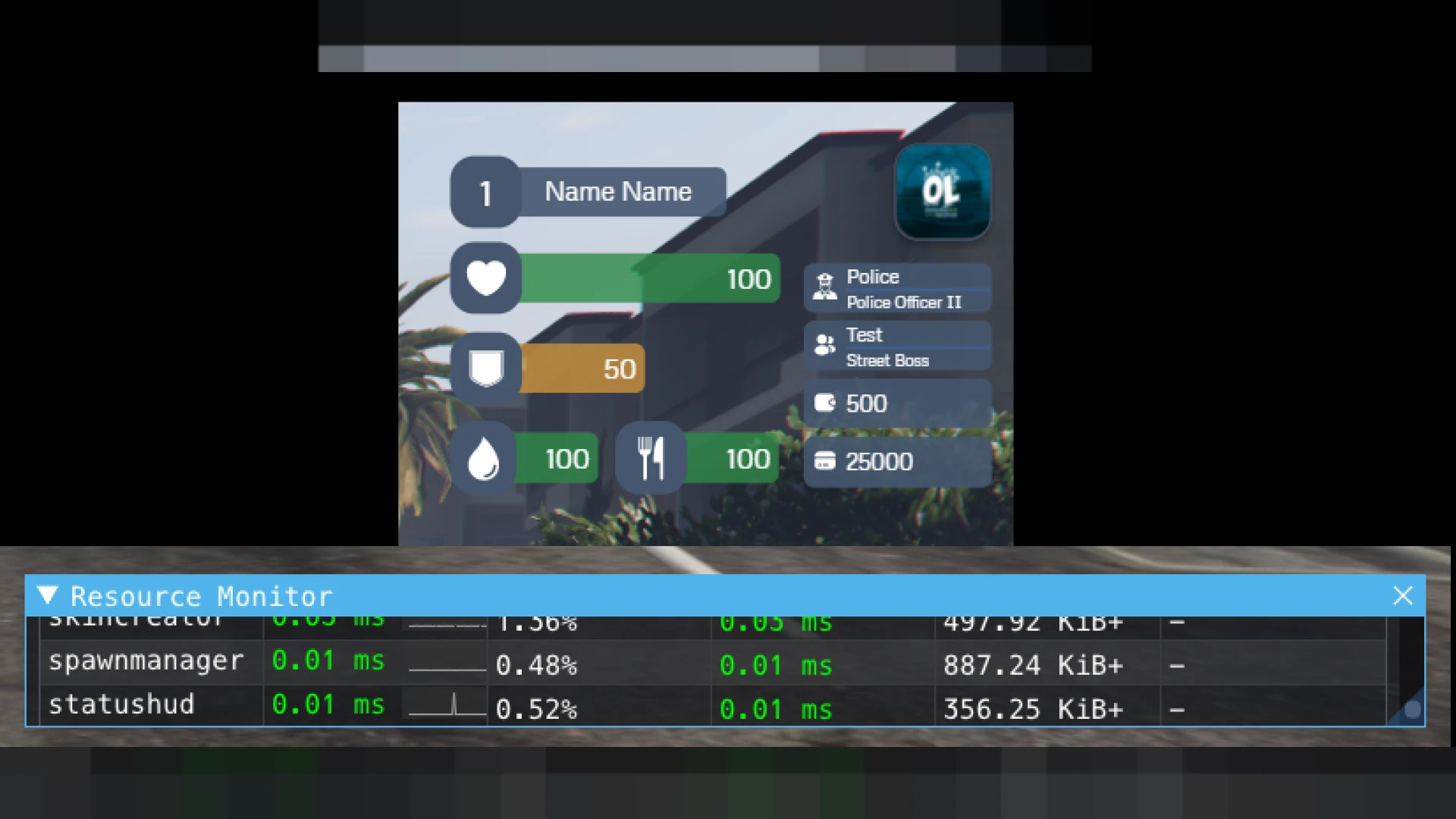
The Status Hud keeps health, armor, hunger, thirst and stamina visible in a tidy row of indicators. It works alongside survival systems by reading your framework's status values and presenting them in a glanceable format.
Best for: Survival servers that need core needs visible without clutter.
Lj Hud
The Lj Hud keeps health, armor, hunger, thirst and stress readable at a glance. A smart vehicle panel with a full speedometer appears when players get behind the wheel, then stays out of the way on foot.
Best for: Roleplay servers that track stress as well as the basic needs.
Speedometer
The Speedometer shows speed, fuel, current gear and seatbelt status in a tidy overlay. It appears only while driving and fades away on foot, and its minimal design reads at a glance without covering the road.
Best for: Driving-heavy servers that want clear vehicle information.
Hud V1
The Hud V1 reworks the default interface into a sharp, modern status overlay. The layout stays readable during firefights, long drives and busy downtown scenes, and it is built with performance in mind.
Best for: Servers that want a simple, lightweight overlay that reads in any situation.
SVRP HUD
The SVRP HUD places health, armor, hunger, thirst and stamina around a tidy minimap. It is built to be lightweight and highly readable, so the important numbers stay visible while the rest of the screen stays clear.
Best for: Servers that want the minimap and status bars to feel like one system.
Off The Dribble (OTD) | OTD ScreenShake
The Off The Dribble (OTD) | OTD ScreenShake adds camera shake when something dramatic happens. Explosions and heavy impacts gain weight, and the effect is applied only when it matters, which makes scenes more cinematic without constant motion.
Best for: Explosive scenes, crashes and action moments that need weight.
3D Car Menu
The 3D Car Menu replaces lists of commands with a radial menu that sits on the vehicle itself. Players look at a door and open it, roll down a window, pick a seat or pop the trunk, with every vehicle interaction in one menu.
Best for: Vehicle roleplay where doors, seats and trunks get used often.
Minimalist Hud
The Minimalist Hud is a fully client-side status display with no server scripts and no external UI frameworks. Because it runs on the client, it adds no network overhead, and it reads real values to keep the interface clean.
Best for: Performance-first servers that want a clean HUD with no server load.
| Product | Category | Best for |
|---|---|---|
| Cool OX Target | HUD & UI Scripts | Cleaner target menus |
| 0Tick | CX-HUD | HUD & UI Scripts | QBox and QBCore servers |
| Lafa2K | 3D GPS Route Renderer | HUD & UI Scripts | Visual route lines |
| Custom Loading Screen | HUD & UI Scripts | Branded first impressions |
| Status Hud | HUD & UI Scripts | Survival servers |
| Lj Hud | HUD & UI Scripts | Stress and needs tracking |
| Speedometer | HUD & UI Scripts | Driving-heavy servers |
| Hud V1 | HUD & UI Scripts | Simple overlays |
| SVRP HUD | HUD & UI Scripts | Minimap-led layouts |
| Off The Dribble (OTD) | OTD ScreenShake | HUD & UI Scripts | Action moments |
| 3D Car Menu | HUD & UI Scripts | Vehicle interactions |
| Minimalist Hud | HUD & UI Scripts | Performance-first servers |
Frequently Asked Questions
Does the cool ox target fivem scripts redesign change how ox_target works?
According to the listing, no. The Cool OX Target replaces only the visual layer, so the trusted ox_target logic and every export keep behaving as your resources expect.
Which HUD works with QBCore or QBox servers?
The 0Tick | CX-HUD is described for QBox and QBCore servers. The Status Hud reads your framework's status values, so check its product page for the framework it expects. The other HUD listings do not name a framework in the summary, so check their pages too.
Which option adds the least network overhead?
The Minimalist Hud is described as fully client-side with zero server scripts, so it adds no network overhead from the interface itself. That makes it a natural choice for performance-first servers.
Pick one HUD, one target style and one loading screen so the first impression of your cool ox target fivem scripts setup feels consistent. Browse the HUD & UI Scripts collection at FiveM Shops to compare the rest of the interface options.