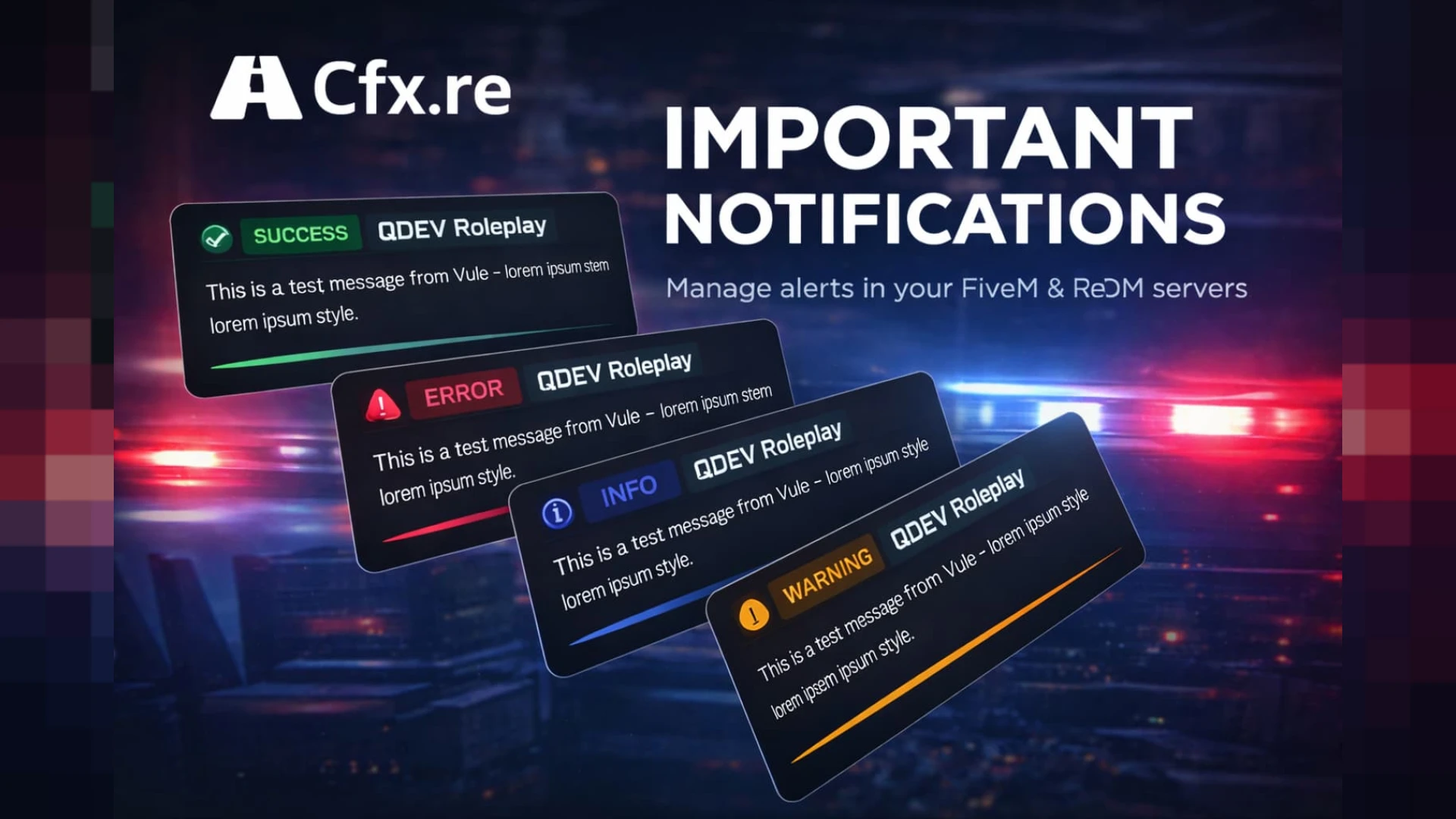
Clean, modern notification and alert UI with types, icons and queueing for ESX and QBCore
Notifications are the voice of every script on your server — job updates, warnings, errors, success messages — and the default ones look dated the moment a player sees them. QDEV Notify replaces that voice with a clean, modern alert system that any resource can call, so every message your city shows finally matches the polish of the rest of your interface.
What the notify system offers
- Styled notification types — success, error, info and warning — with fitting colors.
- Icons that make each alert instantly readable at a glance.
- A queue so a burst of messages stacks cleanly instead of overlapping.
- Simple exports any script can call to send a notification.
- Configurable position, duration and styling.
Why a good notify system matters
- Every script speaks through notifications — upgrading them upgrades everything.
- Consistent, styled alerts make your whole server feel coherent.
- Clear types help players instantly understand what happened.
- A clean queue prevents the mess of overlapping default popups.
- It is a tiny change with server-wide visibility.
Clean and light
- Built for ESX and QBCore with drop-in export compatibility.
- Replaces default notifications so existing scripts benefit immediately.
- Configurable everything in open, readable files.
- Lightweight NUI that stays out of the way of performance.
Because every resource on your server sends notifications, a single clean notify system quietly raises the perceived quality of your entire city at once. It is one of the highest-leverage UI upgrades available, since one drop-in change touches every message every script has ever shown a player.
Pair it with our other HUD & UI scripts like the Vigor HUD for a fully coherent interface.
Because every resource on your server speaks through notifications, one clean notify system quietly raises the perceived quality of your entire city at once, touching every message every script has ever shown a player.