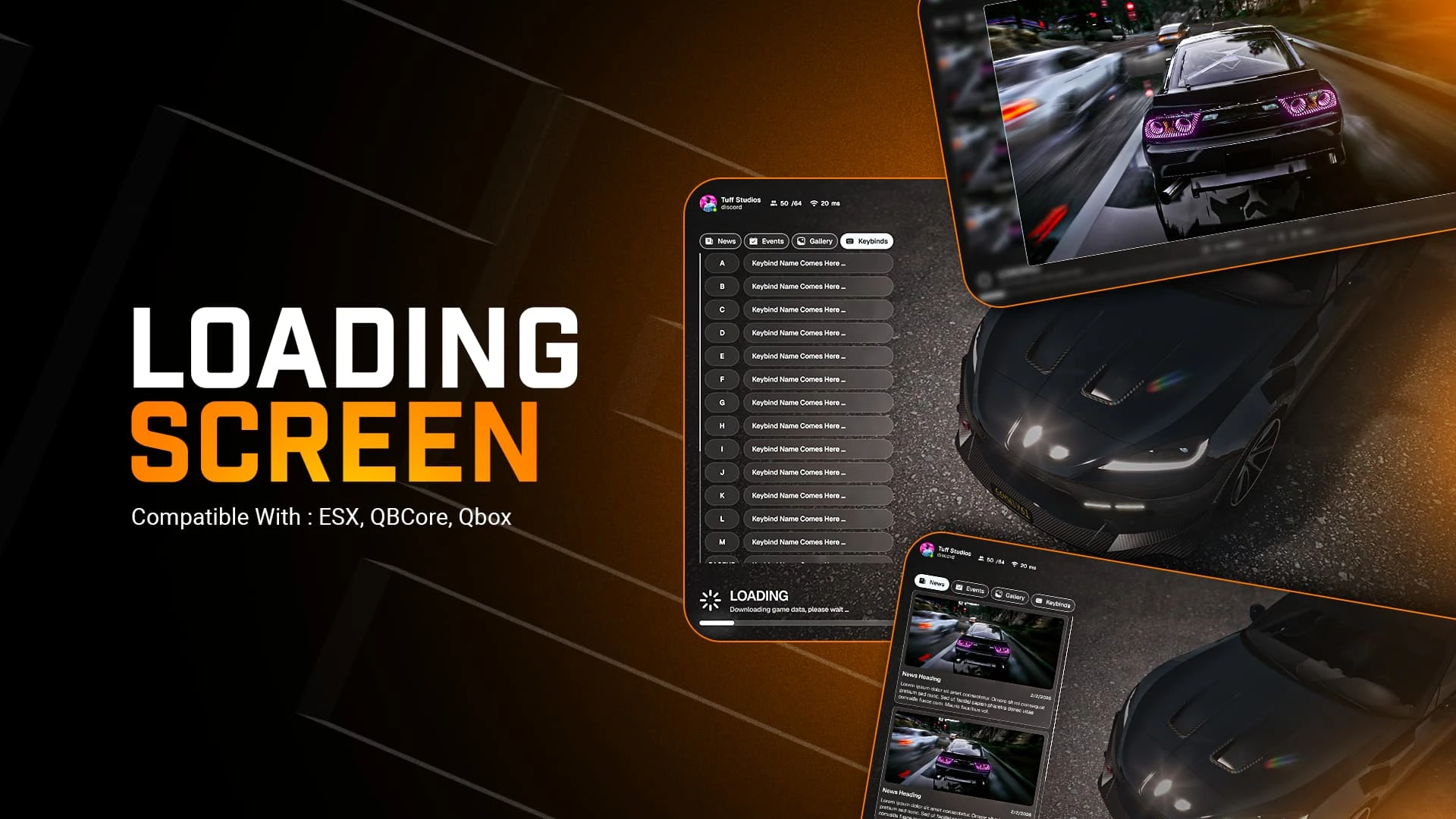
The loading screen is the first thing a player sees and the last thing most server owners bother to polish — which is exactly why upgrading it pays off. Animated Loading Screen replaces that dead waiting time with a modern, animated first impression: music playing, your server's identity front and center, and the promise of a city that cares about details.
What the loading screen shows
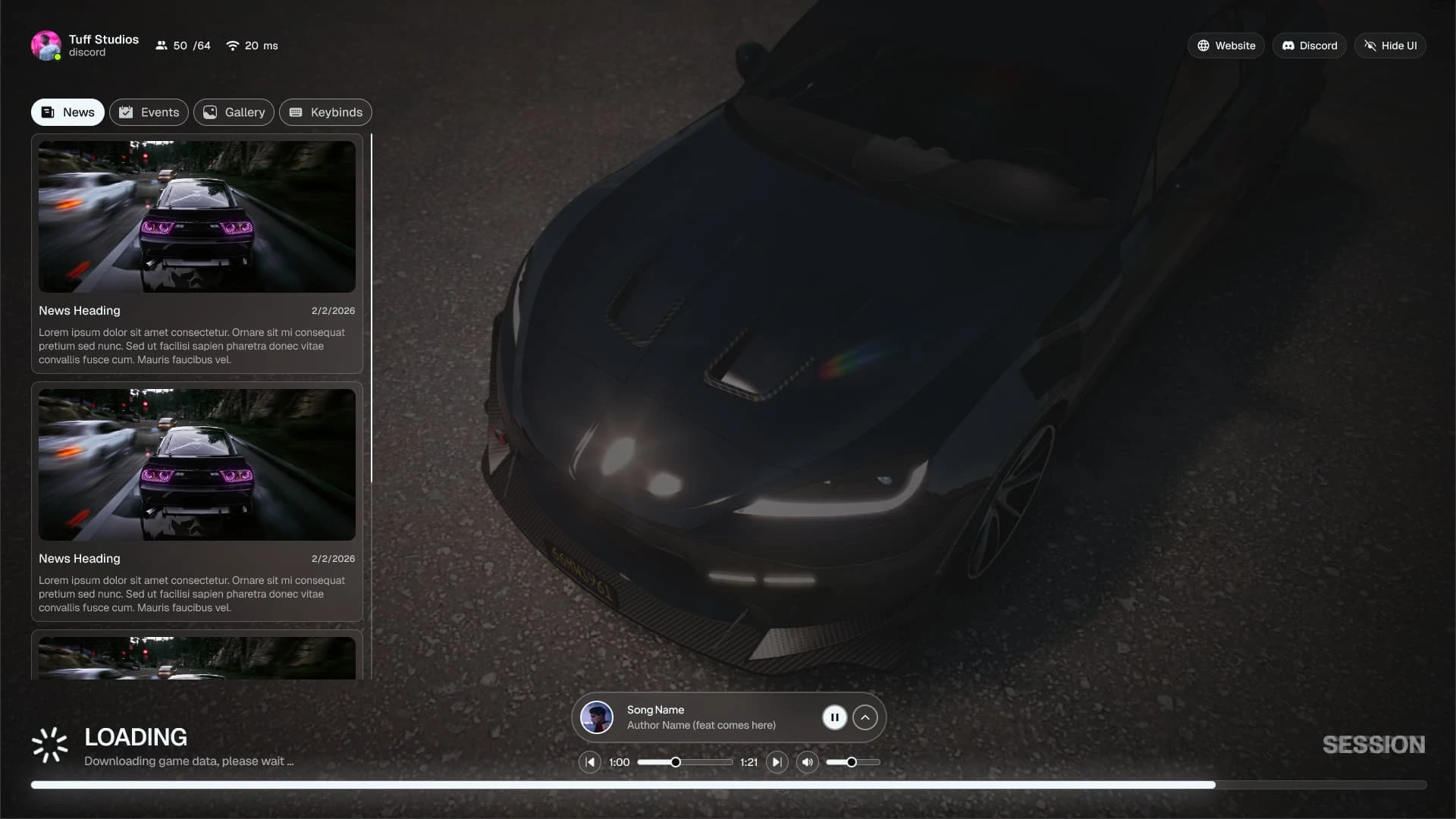
- An animated background that turns the connect wait into a branded moment instead of a black void.
- Background music with player controls, setting the tone before the game even loads.
- Server info panels for rules, features, staff and current events — read while they wait.
- Social links to your Discord, store and socials, capturing interest at the one moment attention is guaranteed.
Why the loading screen is prime real estate
- Every single player sees it, every single session — no other screen has that reach.
- It is your first handshake with newcomers: polished here signals polished everywhere.
- The Discord link on a loading screen is one of the most reliable community-growth tools you own.
- Rotating event info keeps regulars informed without spamming in-game chat.
Made to customize
- Standalone and framework-free — drop it in as your server's loadscreen resource and go.
- Swap the video, music, colors and text through clean, open files.
- Panels are modular, so you show exactly what your community needs and hide the rest.
First impressions compound
A great loading screen costs you one afternoon and greets thousands of players. Few upgrades convert idle seconds into brand and community as efficiently. Keep the polish going with the rest of our admin & utility scripts, and pair it with the Advanced HUD V6 for a consistent look from load to play.
Because it is standalone, swapping it in is a two-line change to your loadscreen configuration and a restart. Keep a couple of background variants on hand and you can theme the entrance for holidays, launches and events without ever touching the underlying resource again.